 July 1, 2026
 5 min read


 TelegramGold signalReceived
BUY XAUUSDBUY
Entry3360.00
Stop Loss3350.00
Take Profit3380.00

 Trading Automation
A 7-day full-access trial of TelegramMT4 Cloud — copy Telegram signals to MT4/MT5 without a VPS. We built this product. Demo first; trading is risky.
 Educational content only. Trading Gold, Forex and CFDs involves substantial risk.
Telegram copier workflowIllustrative automation sequence
TelegramGold signalReceived ParserFields + rulesValidating
 MT4 / MT5Demo orderConfirmed
 TelegramMT4 guide
We build TelegramMT4 Cloud at Telegram Signal Copier, L.L.C. This page is about that product. If you came here searching for a “free Telegram signal copier,” here is the honest version: we do not give away a forever-free copier. We give a 7-day full-access trial so you can connect Telegram, attach an MT4 or MT5 account, and see whether the workflow fits you before you pay.
That trial is the same copier paying subscribers use. It is not a stripped demo with execution turned off. After seven days the subscription has to continue if you want the cloud to keep running. Trading and automation do not remove market risk. Start on a demo account.
A copier watches Telegram channels you authorize, reads a signal the parser understands, and places the matching order on your MetaTrader account. A typical message looks like this:
GOLD BUY
Entry: 2350
Stop Loss: 2335
Take Profit: 2375
You should not have to retype that into MT4 or MT5 while the price is already moving. You also should not need a Windows box or a VPS left on overnight unless you choose that path. Cloud is the default on TelegramMT4. Desktop/VPS is optional if you want Telegram to stay on a machine you control.
Search results for “best free Telegram signal copier” mix three different things:
If a page promises a permanently free copier with no catch, treat it as unfinished. Someone still pays for servers, Telegram session handling, and broker logins. We would rather say the trial is seven days and full, then you decide.
The workspace is a browser dashboard. The path we actually ship is below, with the live screens.
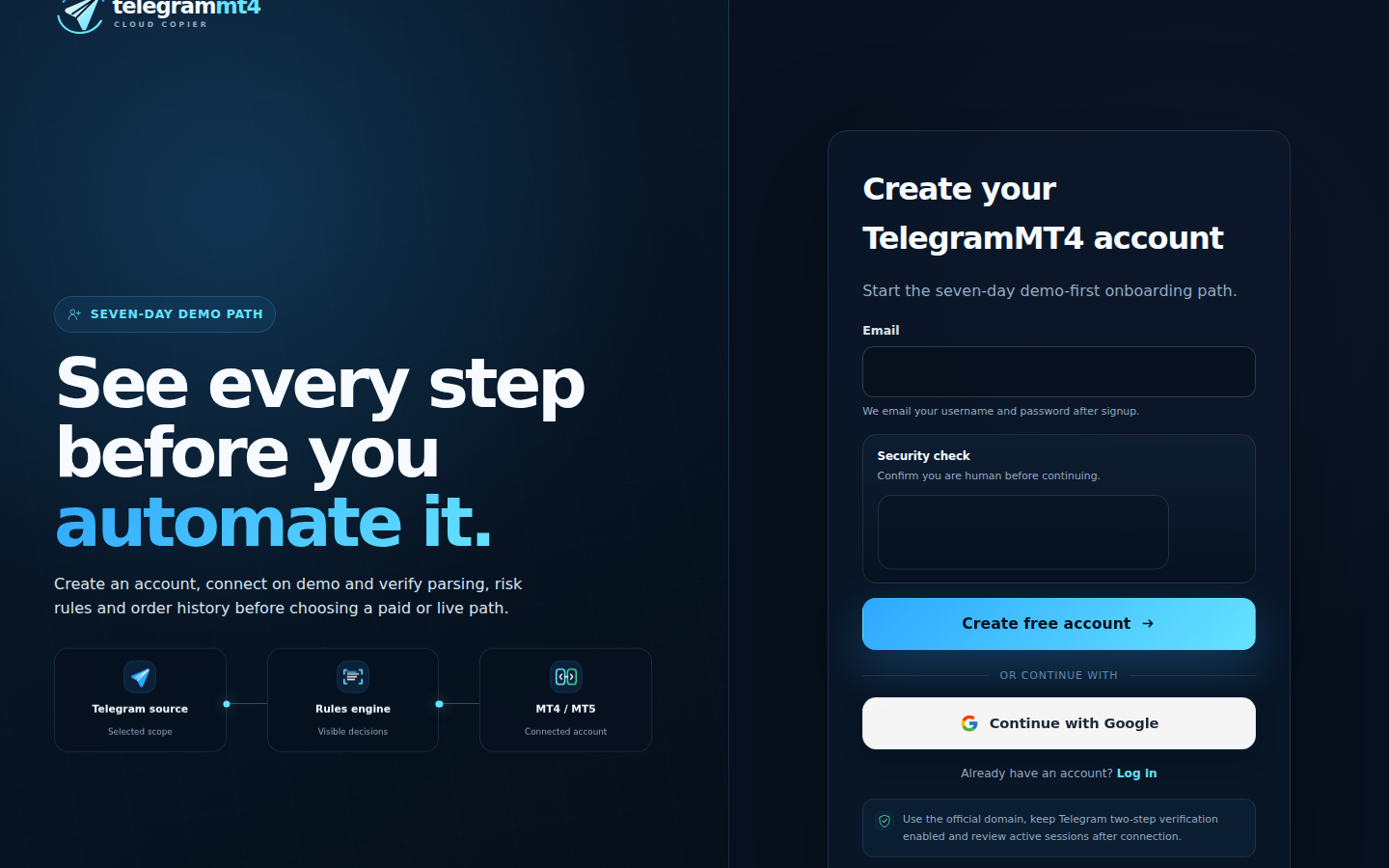
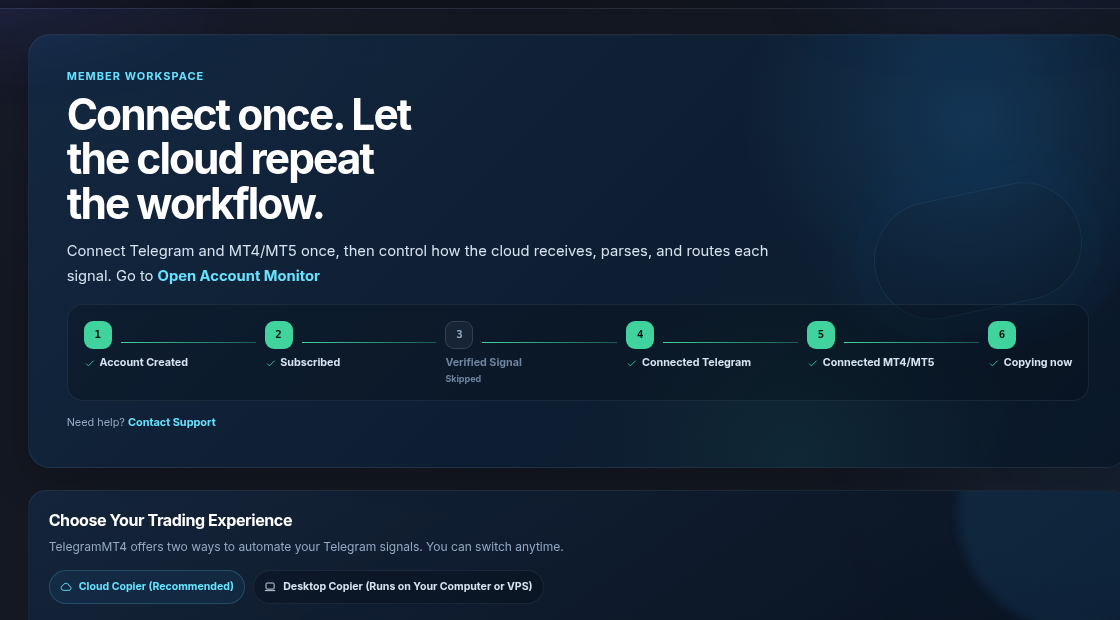
3. Connect Telegram and authorize the channels you want copied. Scope is the sources you attach. Details are on the security page.
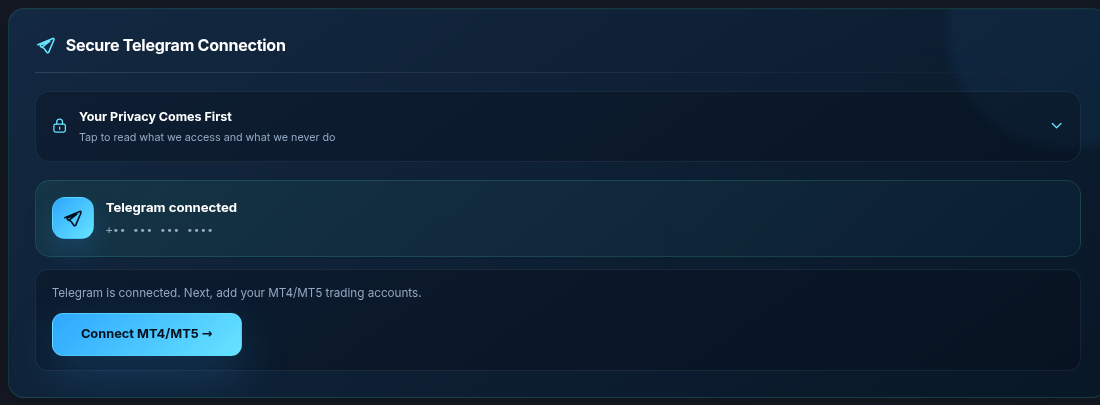
4. Connect MT4 or MT5 with broker, server, login, and the master password. Investor (read-only) passwords will not work — the copier has to send orders.
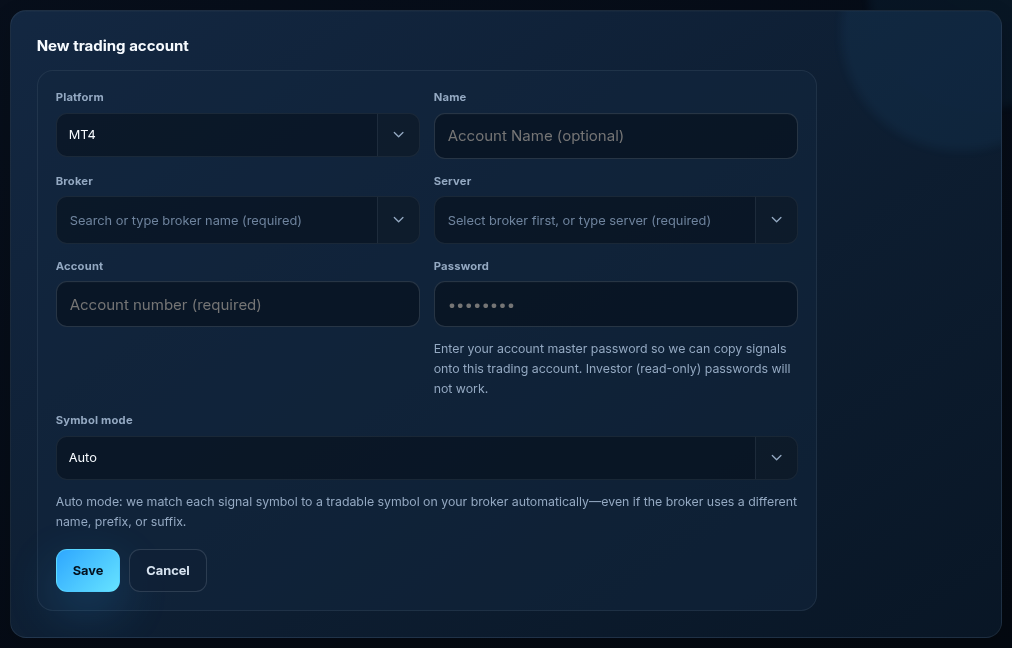
5. Leave symbol mode on Auto unless you have a reason not to. Auto matches GOLD, XAUUSD, XAUUSD.a, XAUUSD.pro and other broker spellings without a hand-built map. Manual mode is there if you want to force a prefix, suffix, or a specific equivalents list.

Pick which channels feed which account, set lot and risk rules, then let the cloud run. Watch it on demo before any live account. You can switch between Cloud Copier and Desktop Copier later.
It will not make a weak signal profitable. It will not fix a wide spread, a requote, or a broker that rejects the symbol. It will not manage your money for you. Telegram Signal Copier, L.L.C. is software. We are not a broker and we do not hold client funds.
If you need signals as well as a copier, we publish our own ideas and a Myfxbook track on the verified results page. That is a separate decision from “does the copier fire the order.” Copying our signal and copying someone else’s channel are both supported; you choose the sources.
Use the trial if you already follow Telegram channels and you are tired of tapping orders in by hand. Use it if your broker names gold XAUUSD.a and your provider writes GOLD. Skip it if you want a robot that invents entries. That is not what we sell.
Reviews from other operators sit on Trustpilot. Our public Myfxbook book is here. The product forum is t.me/telegmt45forum.
Not from us. The free period is seven days with the same cloud features as a paid seat. After that you subscribe, or the copier stops. We would rather be blunt than dress a trial up as a permanent free product.
No. Cloud Setup runs in our environment. You open the dashboard from a browser. Desktop/VPS is optional, not required.
No. Auto is the default. It matches common gold and FX spellings, including broker prefixes and suffixes. Turn on Manual only when you want to pin prefix, suffix, or a custom equivalents list.
Yes. The same trial connects either platform. The MT5 walkthrough is here.
Start the trial from the free trial page or sign up. Read the risk disclosure before you attach a live account. Company details for Telegram Signal Copier, L.L.C. are on the About page.
The article remains the source of the explanation. This supporting visual simply keeps the product workflow clear while the reader moves through the guide.
A supported XAUUSD message arrives from a Telegram source chosen by the user.
Source visibleDirection, symbol, entry, stop loss and take profit are structured before routing.
Rules visibleThe configured MT4 or MT5 destination receives the order and the event is recorded for review.
Result visibleConnect Telegram and your trading account from the browser dashboard — no VPS, no local install on the cloud path.