 July 23, 2026
 3 min read

 TelegramGold signalReceived
BUY XAUUSDBUY
Entry3360.00
Stop Loss3350.00
Take Profit3380.00

 Trading Automation
Copy Telegram signals to MetaTrader 5 in the cloud. Auto maps GOLD, XAUUSD, XAUUSD.a and similar names. Written by Telegram MT4 Copier LTD.
 Educational content only. Trading Gold, Forex and CFDs involves substantial risk.
Telegram copier workflowIllustrative automation sequence
TelegramGold signalReceived ParserFields + rulesValidating
 MT4 / MT5Demo orderConfirmed
 TelegramMT4 guide
Telegram to MT5, in our product, means a channel message becomes a MetaTrader 5 order in the cloud. We build that at Telegram MT4 Copier LTD under the name TelegramMT4 Cloud. You do not install a terminal plugin for the cloud path, and you do not rent a VPS unless you choose Desktop Copier.
If you want the click-by-click version, use the MT5 setup guide. This page is the shorter “does this even exist, and how are symbols handled” answer.
Providers still post in Telegram. A lot of newer brokers only give MT5. The gap is the ten seconds you spend typing while gold has already moved, or the night the laptop lid is shut. A copier is supposed to close that gap. It is not supposed to pick the signal.
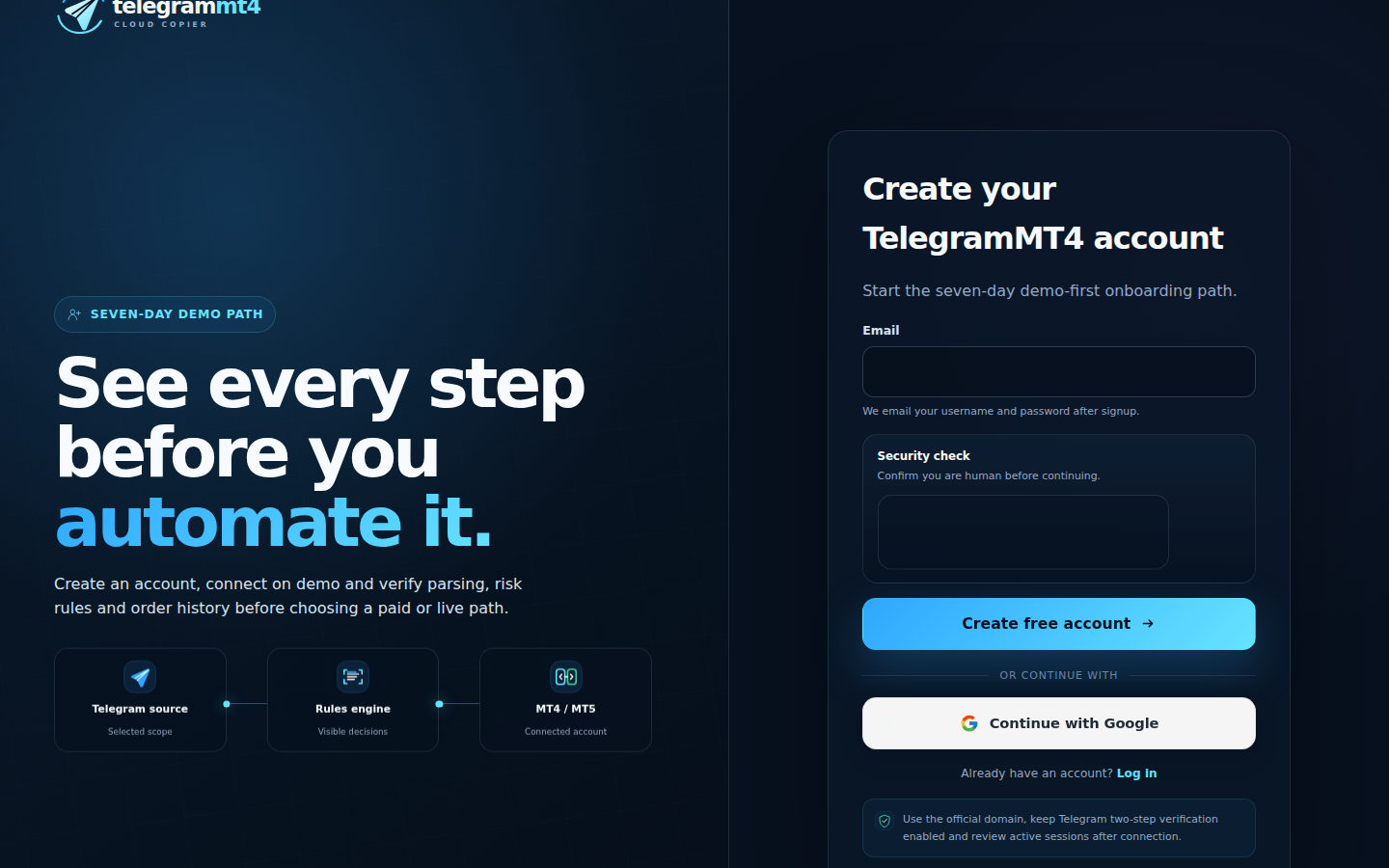
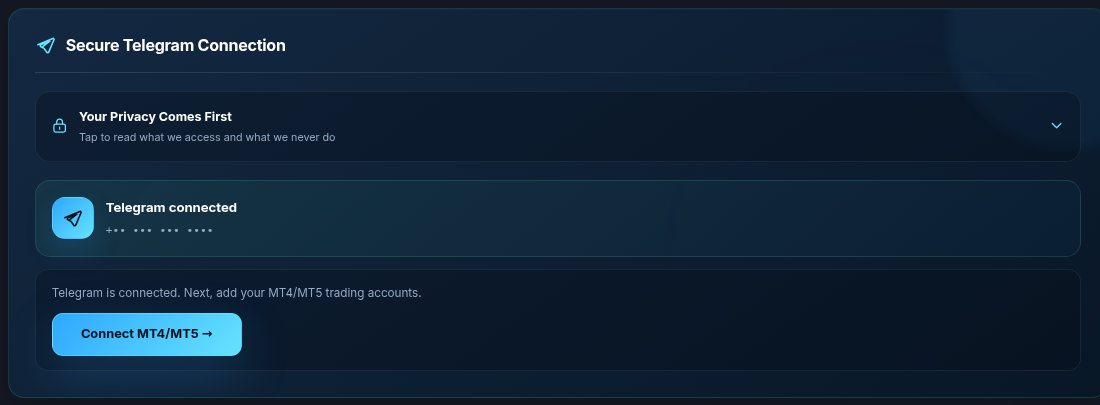
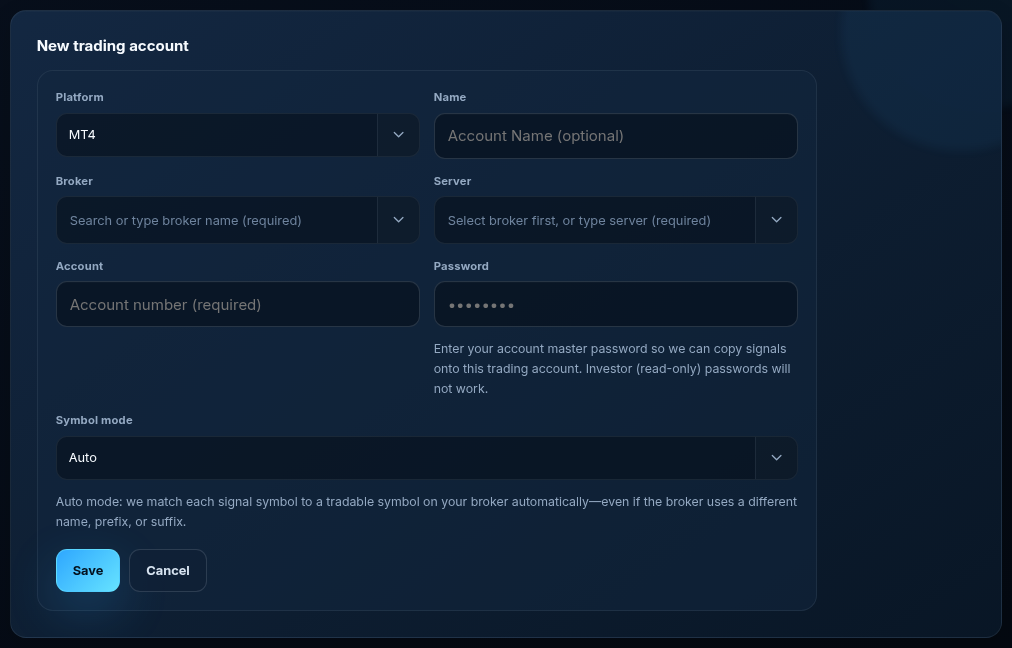
This is the question that used to be answered badly on our own blog. You do not start by building an equivalents table for gold.
Default symbol mode is Auto. Auto matches GOLD to XAUUSD and to broker variants such as XAUUSD.a and XAUUSD.pro, plus other common prefix/suffix spellings. Manual mode — prefix, suffix, explicit equivalents — is there when you want to force a name, not because Auto is unfinished.

If the symbol is not in the MT5 Market Watch at all, Auto cannot trade it. Enable the symbol at the broker, or use Manual to point at the exact name they list.
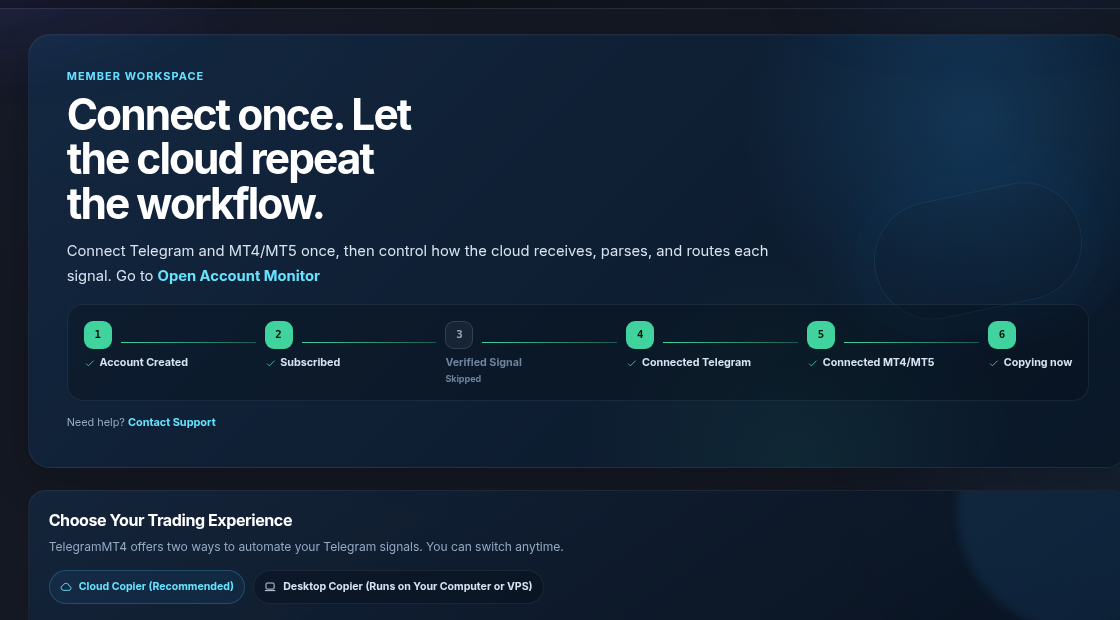
Same dashboard. Same Telegram session. Different account records. Watch netting versus hedging on the MT5 side: a second signal on the same symbol may average or flip instead of opening a second ticket. That is the broker account, not a hidden copier “strategy.”
If you still run MT4 books, keep them as MT4 accounts. The automation article covering both platforms is here.
No guaranteed fill speed in milliseconds. No claim that every provider format parses. No “set and forget income.” TelegramMT4 is software. Markets lose money. The 7-day trial is full access so you can see a real order on demo before you pay.
Yes, on Cloud. Desktop/VPS is optional.
No. Auto is default. Manual is optional.
Yes. Our optional signals are not required. Authorize the sources you already follow.
Trial: 7-day full access. Company: About. Reviews: Trustpilot. Public book: Myfxbook. Risk: risk disclosure.
The article remains the source of the explanation. This supporting visual simply keeps the product workflow clear while the reader moves through the guide.
A supported XAUUSD message arrives from a Telegram source chosen by the user.
Source visibleDirection, symbol, entry, stop loss and take profit are structured before routing.
Rules visibleThe configured MT4 or MT5 destination receives the order and the event is recorded for review.
Result visibleConnect Telegram and your trading account from the browser dashboard — no VPS, no local install on the cloud path.