 July 9, 2026
 4 min read

 TelegramGold signalReceived
BUY XAUUSDBUY
Entry3360.00
Stop Loss3350.00
Take Profit3380.00

 Trading Automation
How cloud automation copies Telegram signals to MT4 and MT5 — Auto vs Manual symbols, channel routing, and why a copier does not remove market risk.
 Educational content only. Trading Gold, Forex and CFDs involves substantial risk.
Telegram copier workflowIllustrative automation sequence
TelegramGold signalReceived ParserFields + rulesValidating
 MT4 / MT5Demo orderConfirmed
 TelegramMT4 guide
We built TelegramMT4 Cloud so a Telegram message can become an MT4 or MT5 order without you sitting on the channel. Telegram MT4 Copier LTD sells that software. We are not a broker, we do not hold deposits, and a working copier is not a trading system. If the signal is late or the book is thin, the order still loses money.
This page is the mechanics: what “automatic” means, where it runs, and how symbols are matched.
Automatic, here, means the cloud already has three things: a Telegram session you authorized, at least one MT4 or MT5 login that is actually connected, and a route from a channel to that account. When a message matches the parser, the order goes out under the lot and risk rules you set. You do not paste prices into the terminal.
It does not mean the copier decides whether the trade is a good idea. That is still you, or the channel you chose to trust.
| You still do | The cloud does |
|---|---|
| Pick channels and accounts | Watch those channels while you are offline |
| Set lot, risk, and caps | Parse a supported signal and send the order |
| Choose Auto or Manual symbols | Resolve GOLD / XAUUSD / XAUUSD.a style names in Auto |
| Review results and stop a bad source | Keep the session up without your PC staying on |
Older copiers were an EA or a Windows service. They work if the host stays up. Most people who say they “tried a free copier” actually tried that, then discovered the VPS bill or the home PC sleeping through London open.
Cloud Setup is the path we recommend: no install, no VPS, browser dashboard. Desktop Copier is the escape hatch if you want the Telegram session on your computer or a VPS you rent. You can compare both in the product. We do not force desktop on anyone who just wants the channel to hit MT4.
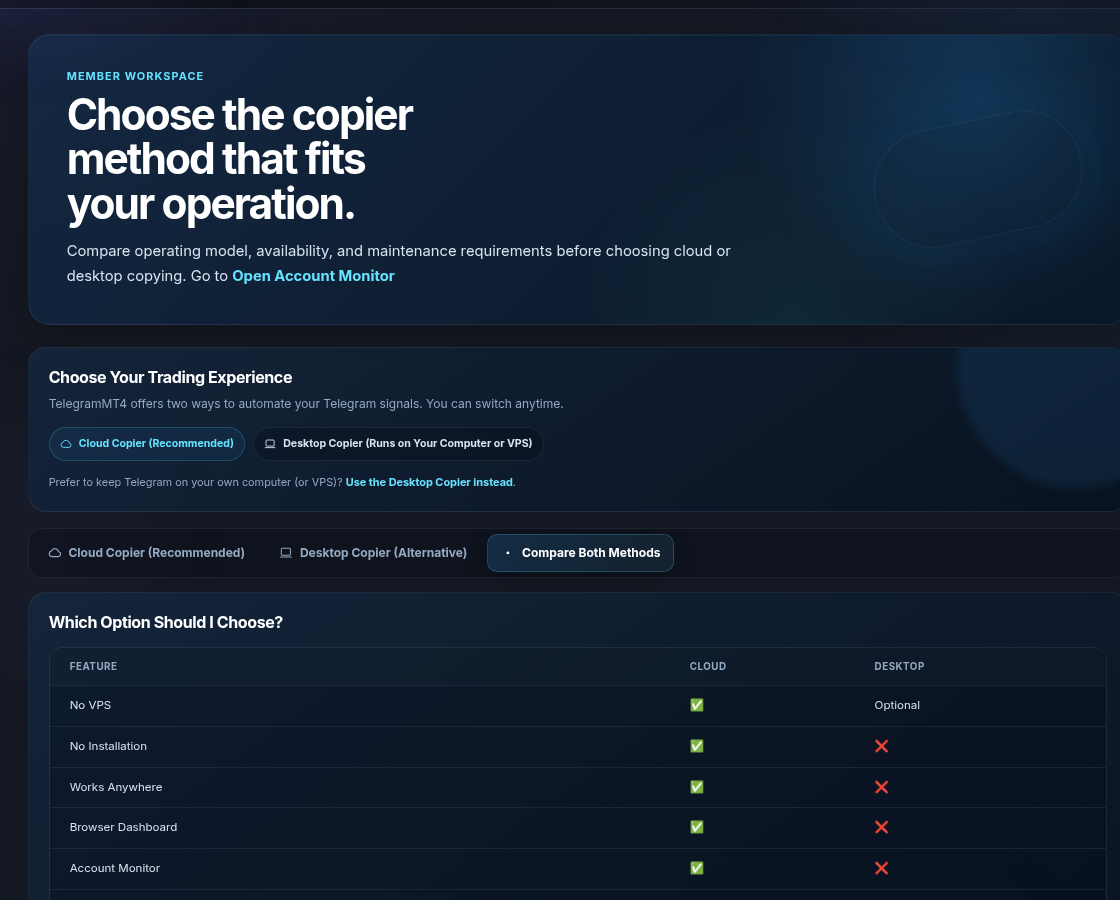
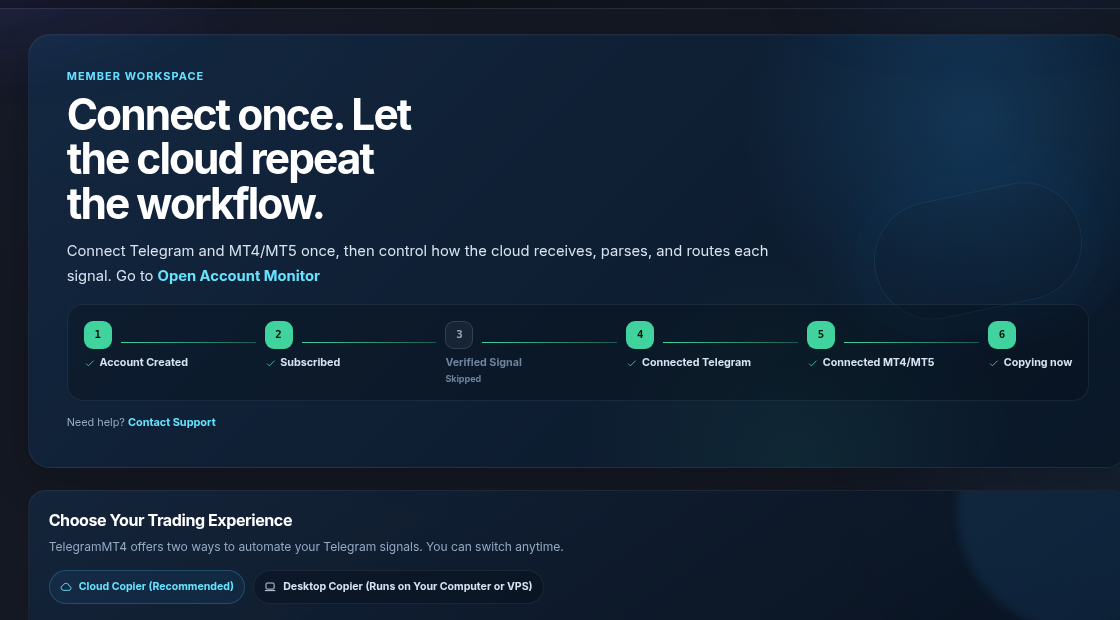
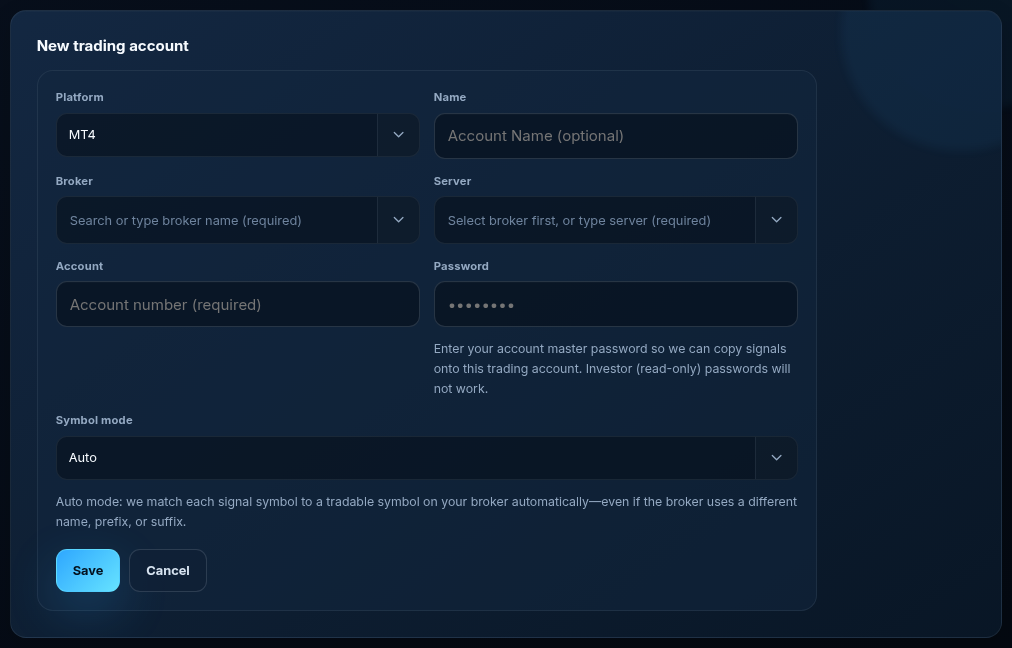
The same Telegram connection can feed MT4 and MT5 accounts. Create each trading account with the correct platform flag. A common failure is pasting an MT5 login into an MT4 slot, or the other way around. The dashboard will not magically translate that. The form asks for the master password. Investor (read-only) passwords will not work.
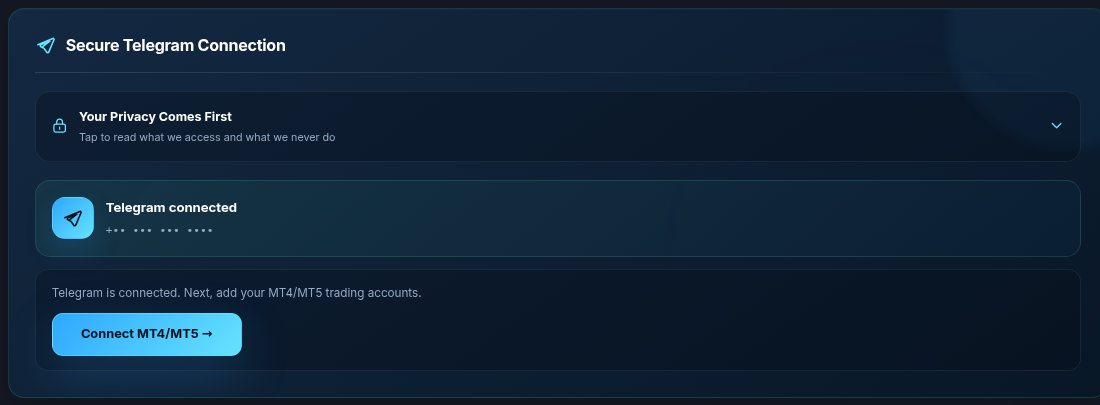
You can keep a demo MT5 and a live MT4 in the same seat. Route channels separately. Do not point a high-frequency gold channel at every account “just to see.”
Brokers rename gold. Providers write GOLD. Some books use XAUUSD.a or XAUUSD.pro. Auto mode matches those without a manual map. That is the default on the account form.

Manual mode is optional: prefix, suffix, and an equivalents list when you want to pin a name the matcher should not guess. Use it for a one-off index or a broker that lists something Auto cannot see because the symbol is hidden in Market Watch.
If we told you in an older article that you must always configure GOLD → XAUUSD by hand, ignore that sentence. Auto is the product. Manual is the override.
Supported messages include market and pending style entries, later SL/TP updates, and channels that omit SL. “Supported” is not “every screenshot a provider ever posted.” If a channel writes a novel, the parser will skip or misread. Test that channel on demo. If it fails twice, stop blaming the lot size — the text is the problem.
Partial closes, emoji-only calls, and signals split across four stickers are the usual edge cases. We keep improving the parser. We will not claim it reads every format on earth.
Telegram access is for the sources you authorize. The dashboard is served over HTTPS. Read security, privacy, and terms before you connect. Disconnect Telegram from the workspace if you want the session gone.
The 7-day trial is full access. Day eight needs a paid plan or the copier stops. Pricing is on /pricing. Optional premium signals are a different SKU; you can copy third-party channels without them.
It is as safe as the channels you attach, the size you trade, and the broker that fills you. The software can reduce typing errors. It cannot make a losing strategy win. Use demo. The account form needs the master password — investor passwords will not work.
Not for Cloud. Desktop Copier is optional.
Yes, within the plan limit. Route per account. Auto symbols still apply per account because brokers differ.
Walkthroughs: MT5 steps, , how it works. Trial: 7-day trial. Risk: disclosure. Company: About.
The article remains the source of the explanation. This supporting visual simply keeps the product workflow clear while the reader moves through the guide.
A supported XAUUSD message arrives from a Telegram source chosen by the user.
Source visibleDirection, symbol, entry, stop loss and take profit are structured before routing.
Rules visibleThe configured MT4 or MT5 destination receives the order and the event is recorded for review.
Result visibleConnect Telegram and your trading account from the browser dashboard — no VPS, no local install on the cloud path.