 July 24, 2026
 3 min read

 TelegramGold signalReceived
BUY XAUUSDBUY
Entry3360.00
Stop Loss3350.00
Take Profit3380.00

 Trading Automation
Copy Telegram signals to MT4 in TelegramMT4 Cloud. Auto maps GOLD and XAUUSD suffixes. Master password required. No VPS on Cloud. Demo first.
 Educational content only. Trading Gold, Forex and CFDs involves substantial risk.
Telegram copier workflowIllustrative automation sequence
TelegramGold signalReceived ParserFields + rulesValidating
 MT4 / MT5Demo orderConfirmed
 TelegramMT4 guide
Telegram to MT4, for us, is a channel message becoming a MetaTrader 4 order in TelegramMT4 Cloud. We build that at Telegram MT4 Copier LTD. You do not install an EA for the cloud path. You do not rent a VPS unless you choose Desktop Copier.
The MT5 twin of this guide is here. Same dashboard. Different platform flag on the account form. Demo first.
Sign up at telegrammt4.com/signup. We email the username and password. The trial is the same copier as paid, for seven days.
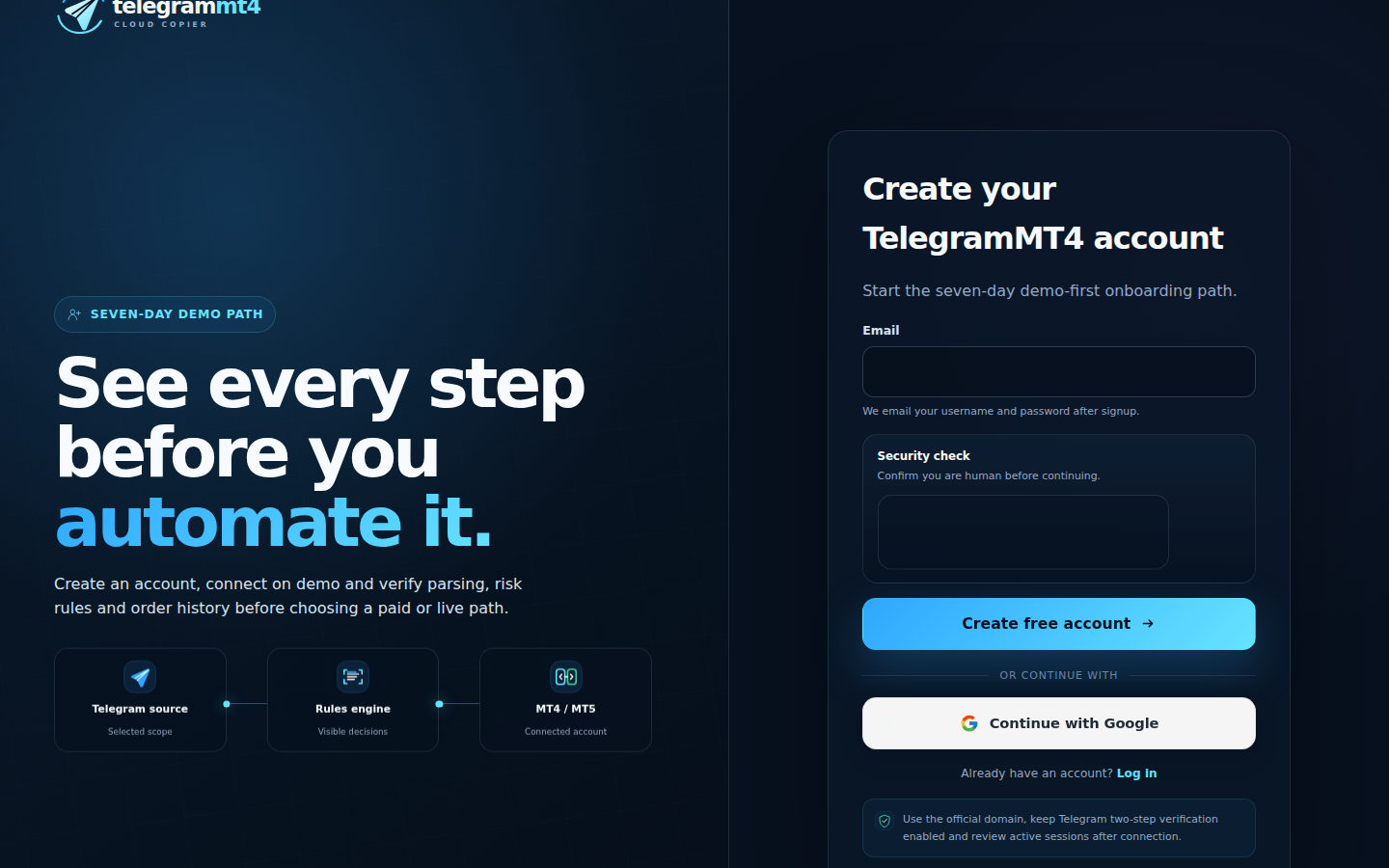
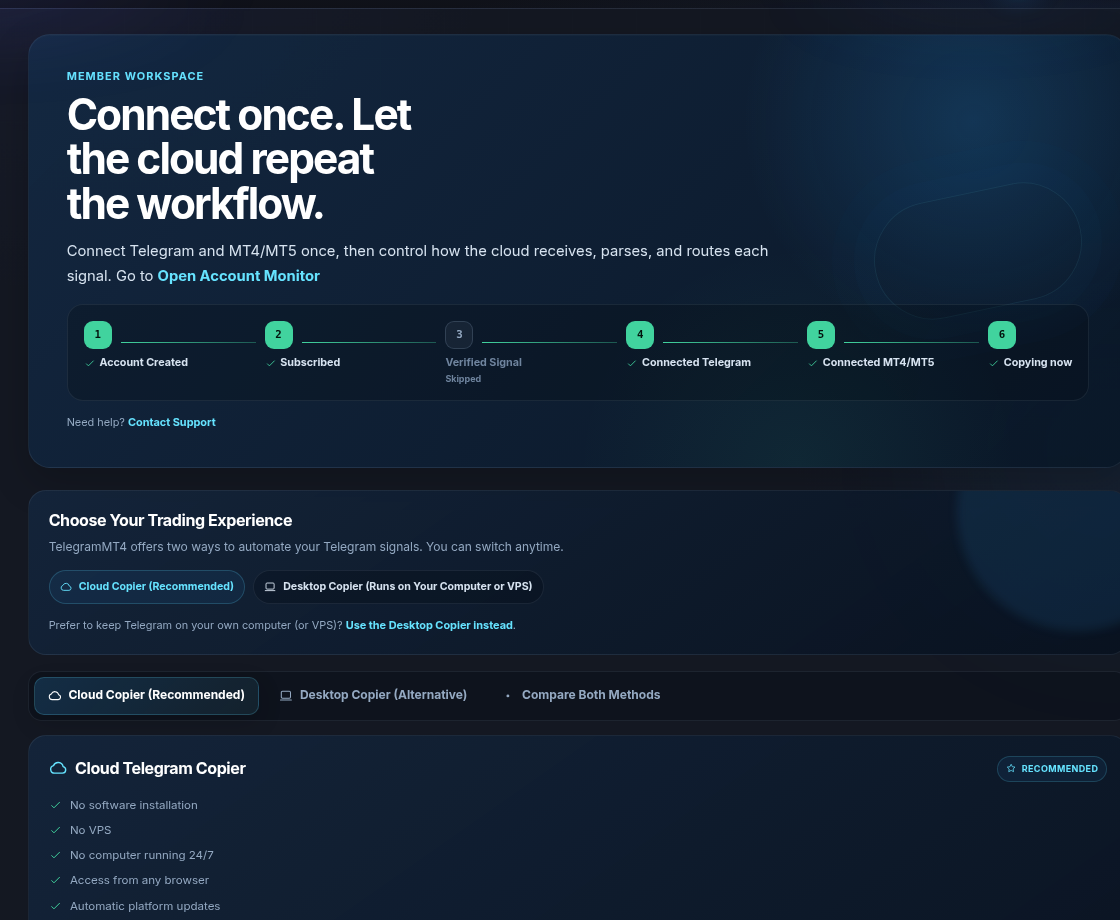
The progress row is the job: account, subscribed, Telegram, MT4/MT5, copying. Verified Signal can stay skipped if you copy your own channels.
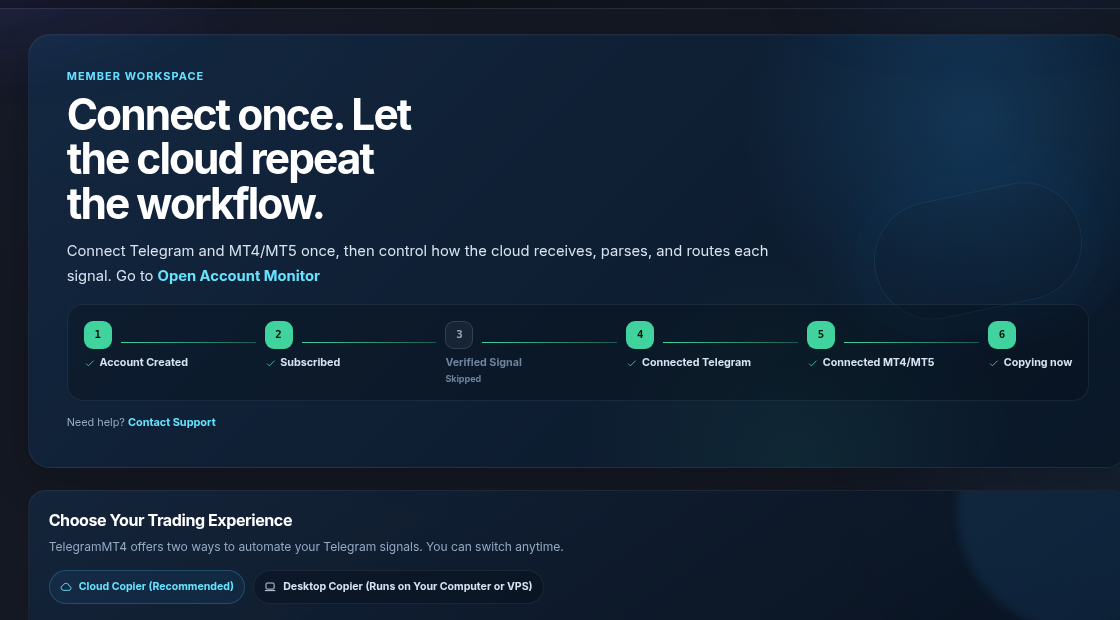
Authorize Telegram and attach the channels you want on this book. We watch those sources, not your whole inbox. Details: security.
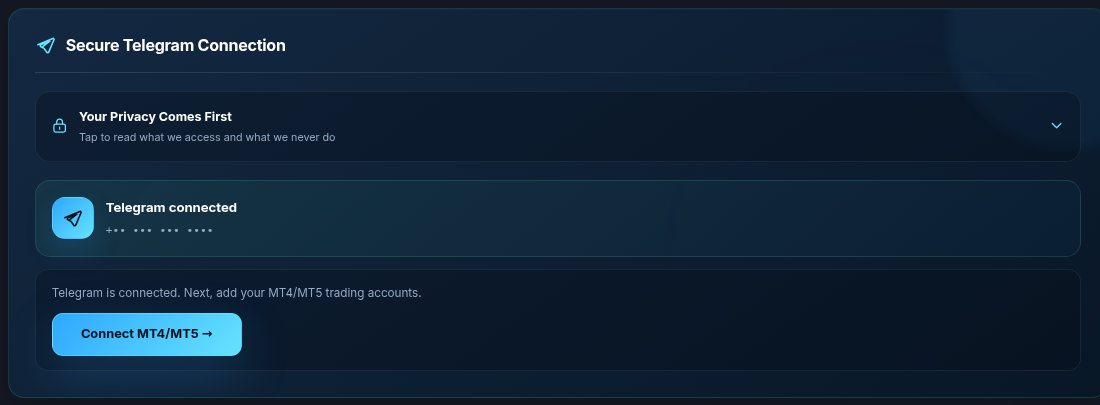
Open Connect MT4/MT5. Set Platform to MT4. That is the easy mistake: pasting an MT5 login into an MT4 slot, or the other way around. Fill broker, server, account number, master password. Wait until the account shows connected before you hunt for missing tickets.
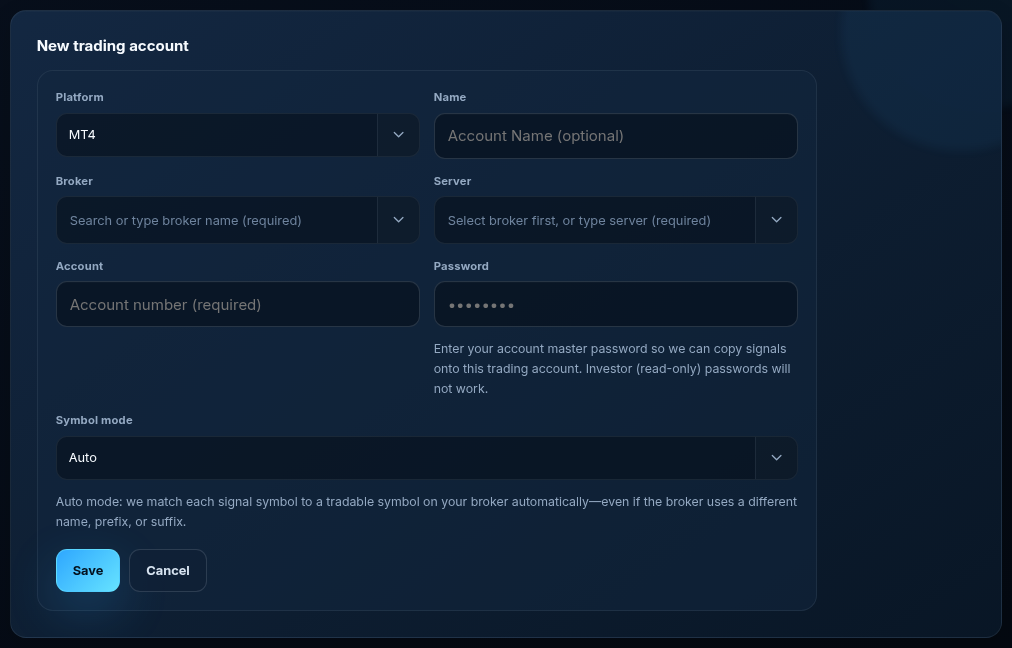
If the channel writes GOLD and your MT4 Market Watch lists XAUUSD or XAUUSD.a or XAUUSD.pro, you do not start with a map. Auto is the default. Manual is prefix, suffix, or an equivalents list when you want to pin a name.

Pick which channels may trade this MT4 account. Set lot and a max-position cap. Wait for one signal you already understand. Check the MT4 Toolbox. Then close the laptop. Only later attach a live book, and only with size you can lose.
Hedging is normal on most MT4 books. A second signal on the same symbol can open a second ticket. That is the account type, not a hidden copier “strategy.” If you also run MT5, create a separate account record. Same Telegram session can feed both.
Desktop Copier still exists if you want Telegram on a Windows box. Cloud does not require that box.
Yes, on Cloud. Desktop is the VPS/PC option.
Yes. Same workspace, different platform on the form. .
Seven days, full copier. Trial and pricing.
Company: Telegram MT4 Copier LTD. Risk: risk disclosure.
The article remains the source of the explanation. This supporting visual simply keeps the product workflow clear while the reader moves through the guide.
A supported XAUUSD message arrives from a Telegram source chosen by the user.
Source visibleDirection, symbol, entry, stop loss and take profit are structured before routing.
Rules visibleThe configured MT4 or MT5 destination receives the order and the event is recorded for review.
Result visibleConnect Telegram and your trading account from the browser dashboard — no VPS, no local install on the cloud path.