 July 28, 2026
 3 min read

 TelegramGold signalReceived
BUY XAUUSDBUY
Entry3360.00
Stop Loss3350.00
Take Profit3380.00

 Trading Automation
Telegram signals not copying to MT4/MT5? Check Telegram, master password, Auto symbols, channel filters, and Start. Written by Telegram MT4 Copier LTD.
 Educational content only. Trading Gold, Forex and CFDs involves substantial risk.
Telegram copier workflowIllustrative automation sequence
TelegramGold signalReceived ParserFields + rulesValidating
 MT4 / MT5Demo orderConfirmed
 TelegramMT4 guide
If a Telegram signal hit the channel and nothing opened on MT4 or MT5, start with the boring checks. Most “copier is broken” tickets are a disconnected session, an investor password, a symbol the terminal does not have, or a channel that is not selected. We build TelegramMT4 Cloud at Telegram MT4 Copier LTD. This is the list we use.
The copier only copies what it can parse and what you allowed. A screenshot-only call, a novel with no BUY/SELL, or a symbol you excluded on purpose will stay quiet. That is not a crash.
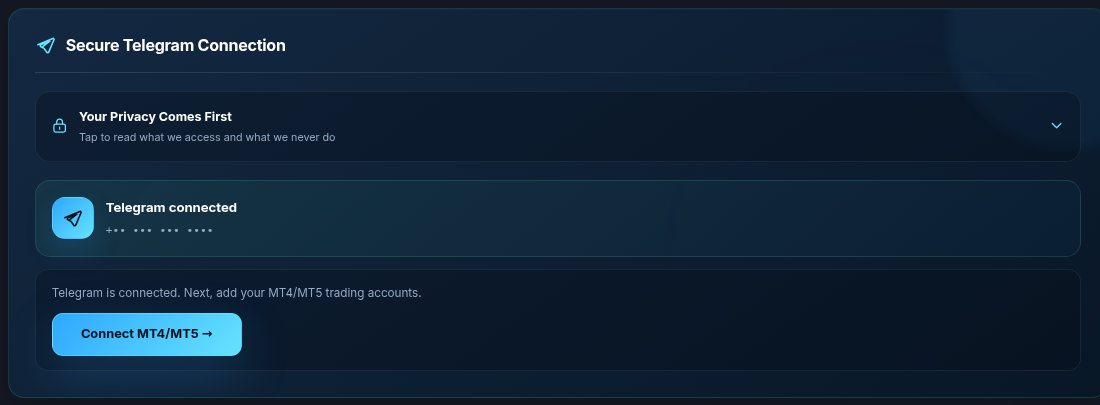
Open Cloud Setup. You want Connected Telegram, then a logged-in MT4 or MT5 account, then the channel ticked. If any of those is missing, stop guessing and fix that row first.
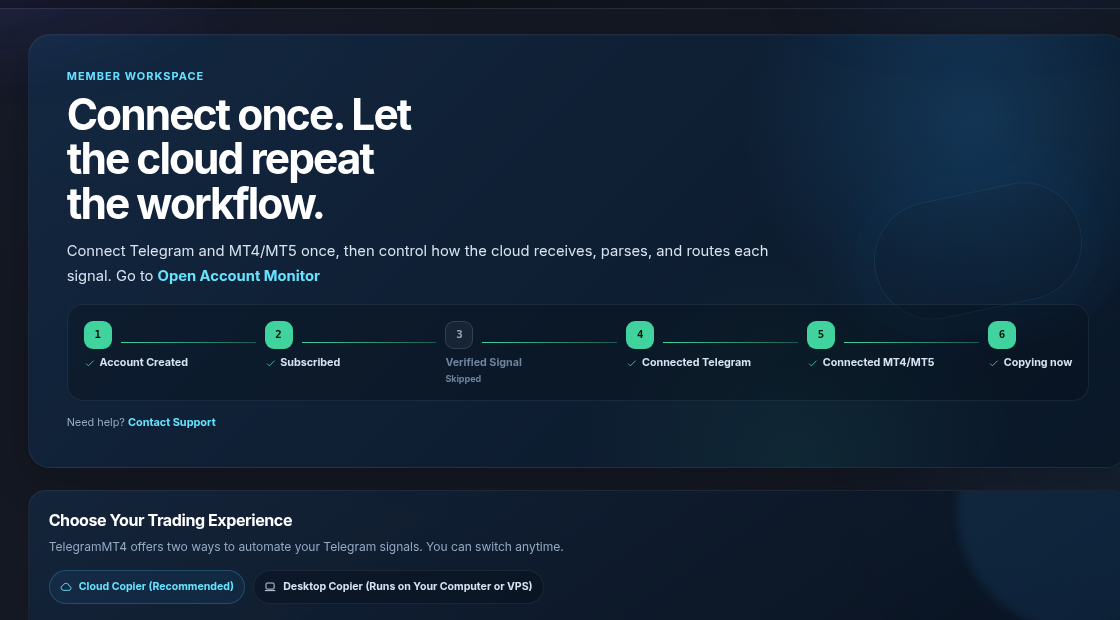
Cloud reads the channels you authorized through the Telegram session in the workspace. If that session dropped, nothing new arrives. Reconnect Telegram. Do not disconnect a working session to “test” unless you mean it.
Use the master password. Investor passwords will not work. Platform must match the account (MT4 vs MT5). After you add it, the account has to stay logged in. An empty add form is not a live account.
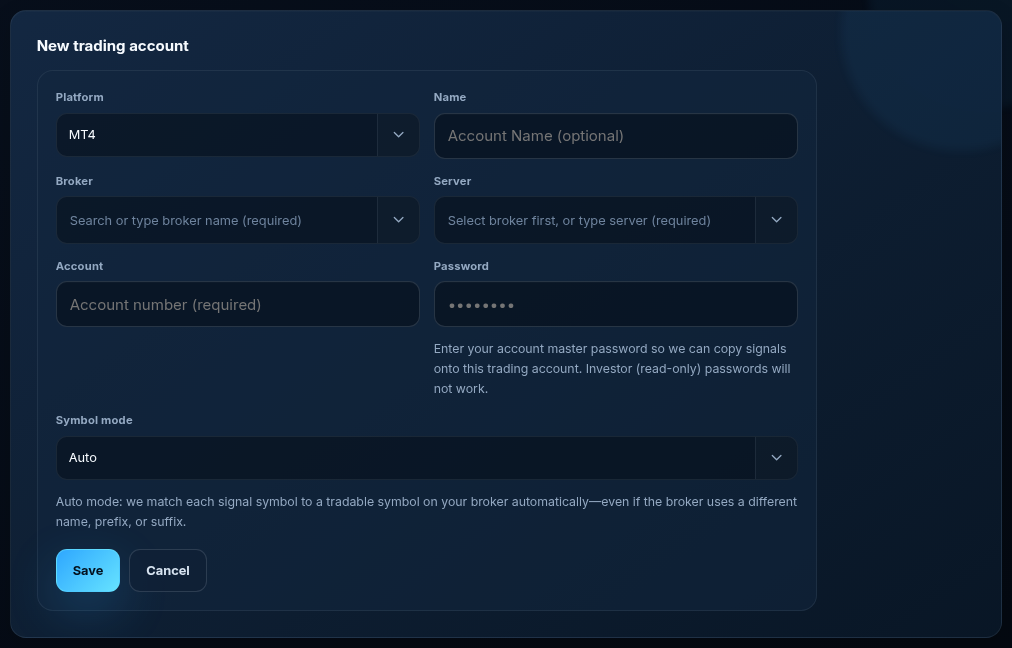
The channel wrote GOLD. The broker lists XAUUSD.pro. Default Auto already maps GOLD / XAUUSD / XAUUSD.a / XAUUSD.pro. If your broker uses something else, switch that account to Manual and add the equivalent (for example GOID = XAUUSD). Auto is not “must map gold by hand.” Manual is the exception.

Expand the account. Tick the channel. Open Edit settings only if you changed filters. Exclusion symbols, exclusion words, and “only specialized symbols” will skip messages on purpose. A desktop save can store those lists in a different shape; the web form now reads both. If you hid settings without saving, your last saved filters still apply.
A connected account that is Stopped will sit there. Start it from Cloud Setup when you mean to copy. We will not click that button for you in screenshots.
A rejected trade from the broker. A weekend market. A channel that posts “looks good” with no order. A losing signal that copied correctly. Demo first. We are software, not a signal vendor.
Monitor asks Cloud for a fresh log. If the upload is slow, the page keeps the last parsed file. That is a log fetch, not proof the copier is off. Check Telegram and MT status first.
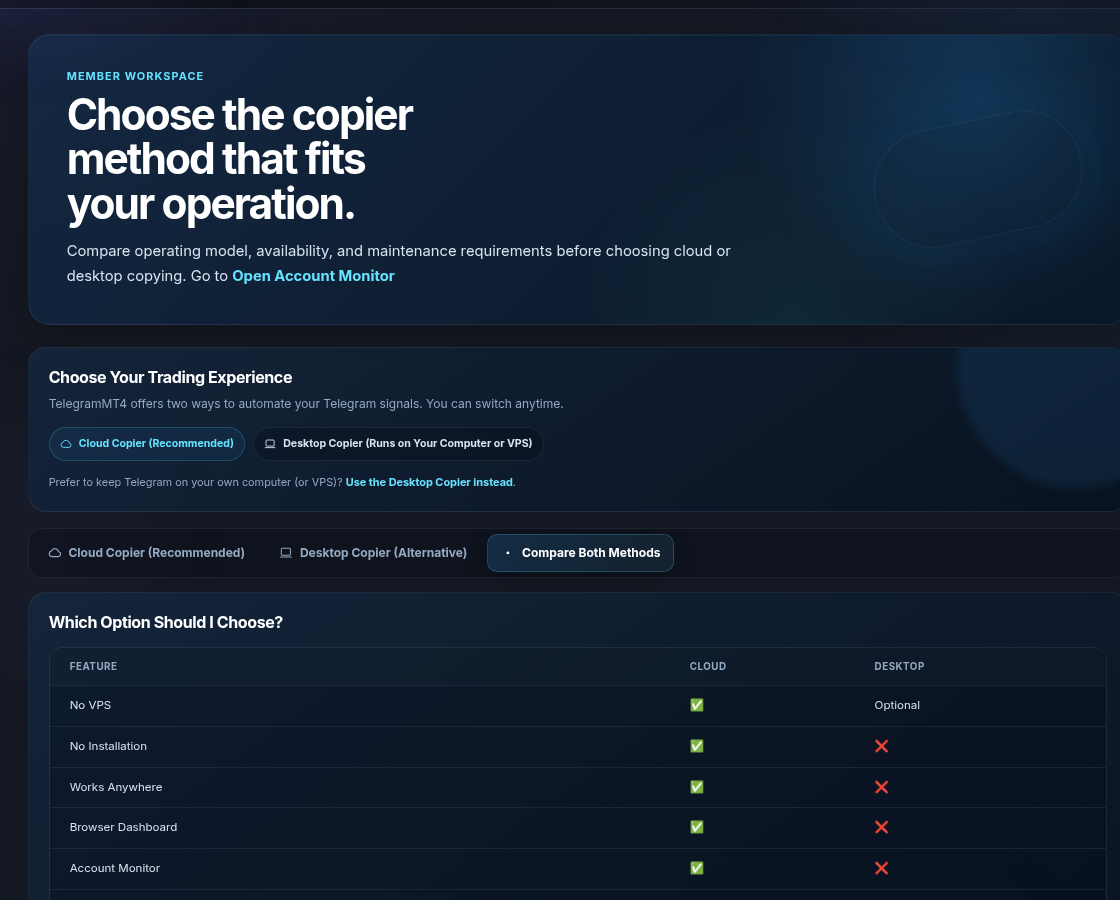
They are different runtimes. Cloud needs the cloud Telegram session and the cloud MT login. Desktop needs the Windows app online. Compare them here:
Related: Telegram signal automation, Is a Telegram signal copier safe. Company: About. Risk: risk disclosure.
The article remains the source of the explanation. This supporting visual simply keeps the product workflow clear while the reader moves through the guide.
A supported XAUUSD message arrives from a Telegram source chosen by the user.
Source visibleDirection, symbol, entry, stop loss and take profit are structured before routing.
Rules visibleThe configured MT4 or MT5 destination receives the order and the event is recorded for review.
Result visibleConnect Telegram and your trading account from the browser dashboard — no VPS, no local install on the cloud path.