Is Telegram Signal Copier Safe? How TelegramMT4 Protects Your Privacy & Data
Is a Telegram signal copier safe? Learn TelegramMT4 authorization, what we can and cannot access, how to revoke sessions, Privacy Policy, Trustpilot, and verified results.
Educational content only. Trading Gold, Forex and CFDs involves substantial risk.
FAQIs it safe to connect Telegram to a trading signal copier?
That is one of the most common questions traders ask before they try cloud automation — and it is a good question.
Telegram is personal. You chat with friends, join communities, and receive private invites there. Handing any tool access to that account can feel uncomfortable if the product never explains what happens next.
This guide is the definitive TelegramMT4 answer to:
- How Telegram authorization works for a cloud signal copier
- What TelegramMT4 can access — and what it cannot
- How to revoke access in under a minute
- Why cloud automation needs Telegram at all
- Where to read our Privacy Policy, Trustpilot reviews, and verified results
- Common misconceptions that confuse buyers
If you want the shorter trust overview, start with our dedicated Security page:
https://telegrammt4.com/security
If you want the full explanation before connecting, keep reading.
What people really mean by “is it safe?”
Safety usually mixes three different concerns:
1. Privacy — Can this app read my personal chats?
2. Control — Can I disconnect anytime?
3. Trading risk — Will automation lose my money?
Those are not the same problem.
Telegram connection safety is about authorization and data use.
Trading outcomes are about strategy, risk settings, and markets. Even a perfectly private copier can lose money if the signal or risk rules are wrong.
This article focuses on connection and privacy. For performance, review verified results separately:
https://telegrammt4.com/verified-results
Why a Telegram copier needs Telegram access
Telegram signal channels are where many providers publish entries, stop losses, take profits, and management updates.
A copier without Telegram access cannot see those messages in time to place matching MT4/MT5 orders.
The automation flow is simple:
Telegram trading channel → TelegramMT4 cloud copier → your MT4/MT5 account
Your web dashboard configures lots, risk, filters, and which channels are allowed. The cloud platform executes according to those settings.
Product overview:
https://telegrammt4.com/cloud-telegram-copier
Beginner walkthrough:
https://telegrammt4.com/how-it-works
No-VPS explanation:
https://telegrammt4.com/no-vps-telegram-copier
How Telegram authorization works with TelegramMT4
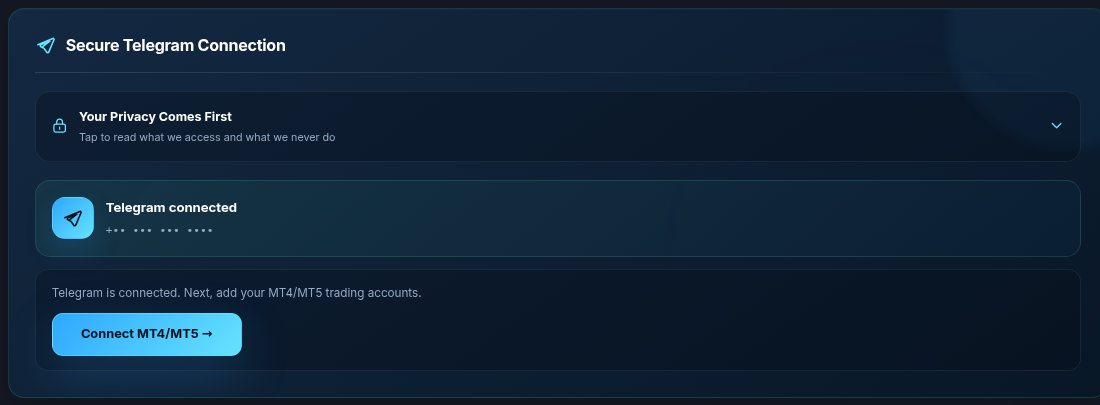
TelegramMT4 does not ask you to type your Telegram password into a TelegramMT4 form.
Connection uses Telegram’s own authorization / session flow. After you approve it, Telegram treats TelegramMT4 like an authorized session for the purpose of reading the channels needed for automation.
That is closer to “approve a new device session” than “give a stranger your password forever.”
Practical implications:
- You approve access through Telegram’s process
- You can later review that session in Telegram settings
- You can revoke it without asking TelegramMT4 for permission first
If any website asks you to email your Telegram password, treat that as a red flag. That is not our flow.
What data TelegramMT4 can access for the copier
TelegramMT4 Cloud is built for trading automation. For the copier to work, the authorized session needs enough access to:
- Detect messages in the Telegram channels you select as signal sources
- Read the trading content required to parse entries, SL/TP, and updates
- Keep the session alive so automation can run while you remain subscribed and connected
The goal is operational: signal → rule engine → MetaTrader order.
Account monitoring, channel selection, and risk settings are managed in your dashboard so you can see what you configured.
What TelegramMT4 cannot — and will not — do
Clear boundaries matter more than slogans.
TelegramMT4 does not exist to:
- Sell your Telegram chat history
- Share private conversations with advertisers
- Message your contacts as if we were you
- Turn your Telegram into a spam channel
- Use your account as a general-purpose “social listening” product
Personal conversations are not a TelegramMT4 product feature. The connection exists to provide copier automation for selected trading channels.
Full platform trust page:
https://telegrammt4.com/security
Legal data-handling details:
https://telegrammt4.com/privacy-policy
How users revoke Telegram access
You stay in control. If you want automation to stop, disconnect immediately.
Option A — from Telegram (fastest revoke)
1. Open Telegram
2. Settings
3. Devices
4. Active Sessions
5. Find and terminate the TelegramMT4 session
That removes authorization on Telegram’s side.
Option B — from the TelegramMT4 dashboard
Disconnect Telegram in your member dashboard so our platform stops treating the session as active for automation.
Best practice: do both if you are ending the relationship entirely.
You also keep control of:
- Which channels are enabled for copying
- Lot size and risk rules
- Whether auto trading is on or paused per channel
- Whether any trading accounts remain connected
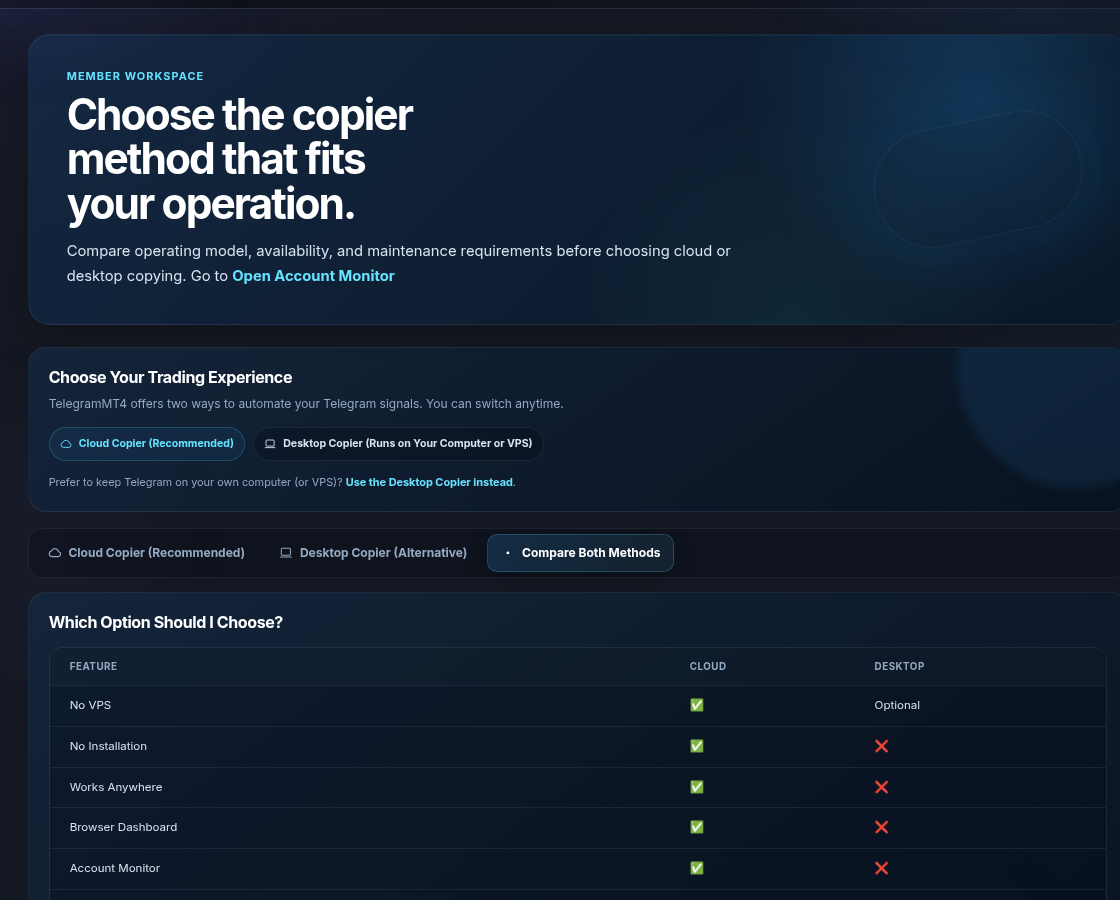
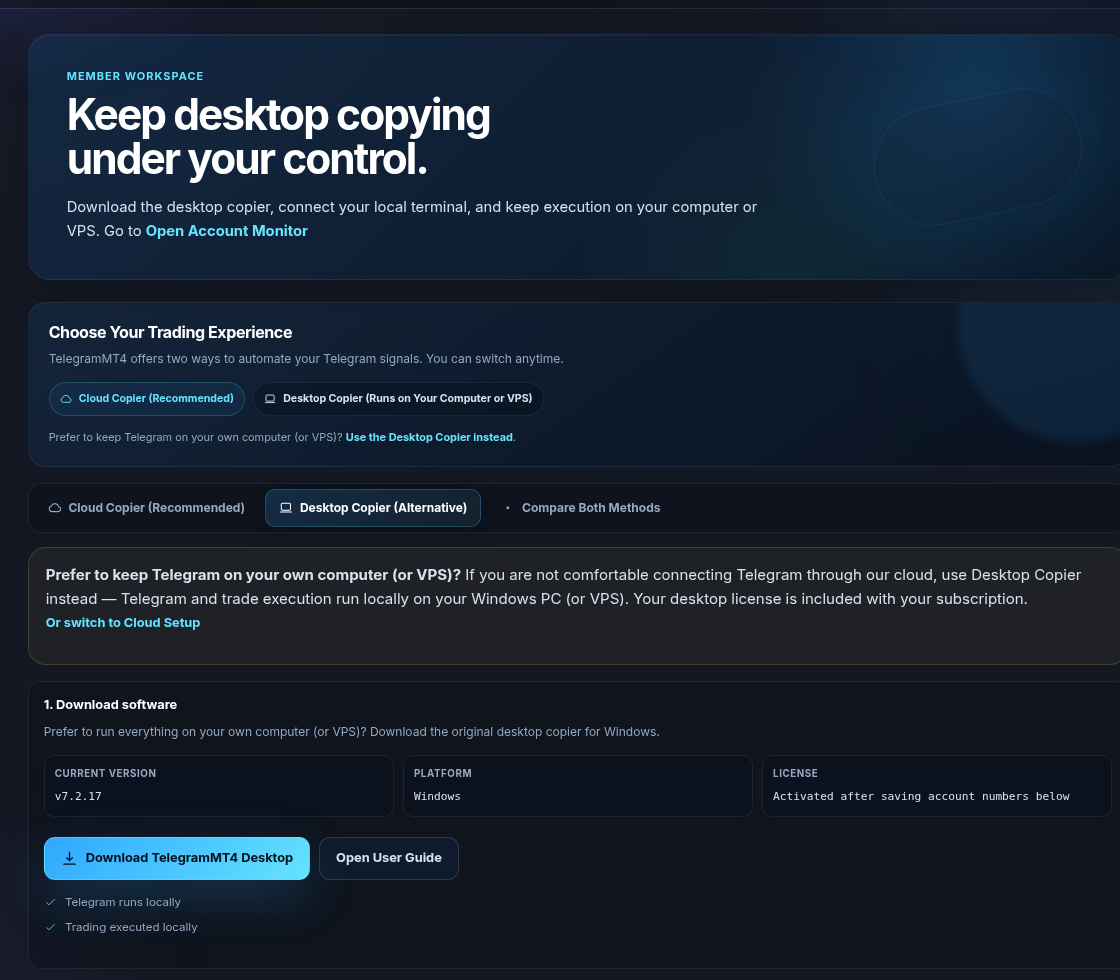
Why cloud automation uses Telegram differently than old desktop tools
Older Telegram-to-MT4 workflows often meant:
- Downloading desktop software
- Keeping a computer or VPS online 24/7
- Trusting a local EXE or EA package on your machine
TelegramMT4 Cloud is intentionally different:
- Browser dashboard instead of installing unknown desktop packages for the cloud product
- Automation hosted in the cloud instead of your bedroom PC
- Centralized Account Monitor for accounts, channels, signals, and trades
Cloud does not magically eliminate all risk. It changes the trust model: you evaluate a named platform with public pages (Security, Privacy, Pricing, Trustpilot, Myfxbook) instead of an anonymous file share.
Compare the complete solution packaging:
https://telegrammt4.com/signals-and-cloud-copier
Pricing overview:
https://telegrammt4.com/pricing
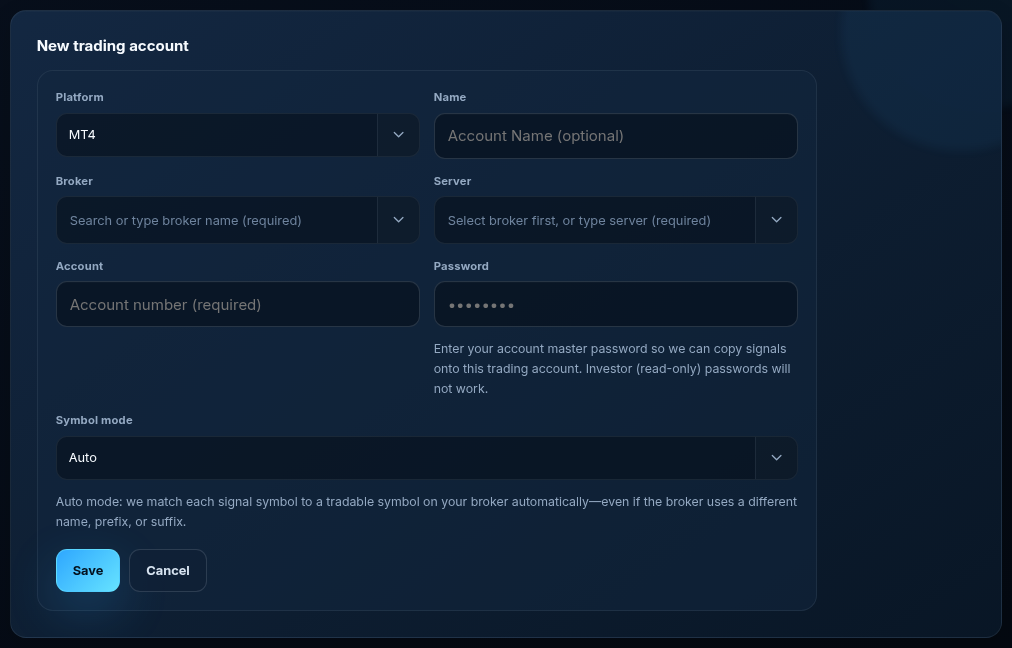
MT4/MT5 connection is a separate trust decision
Many traders conflate Telegram safety with broker-login safety.
They are related product features, but different connections:
- Telegram connection → see and process signal messages
- MT4/MT5 connection → execute trades on your account using your configured rules
A secure Telegram session does not by itself place trades. A connected trading account does — under the settings you choose.
If you only want to study signals manually, you do not need automation. If you want hands-free execution, both connections are part of the product design.
Account visibility lives in Account Monitor so you can check equity, open positions, and recent copied activity.
Privacy Policy: what to read before you subscribe
Marketing pages explain product intent. The Privacy Policy is the legal document for personal data categories, processing purposes, and contact paths.
Read it here:
https://telegrammt4.com/privacy-policy
Also read the risk disclosure before live trading:
https://telegrammt4.com/risk-disclosure
Security page for the human-readable trust overview:
https://telegrammt4.com/security
Do not skip these because a sales page feels friendly. High-intent buyers should read Trust + Legal before connecting money.
Trustpilot reviews and independently verified results
Two common research steps that are healthier than screenshots:
1. Customer experience reviews on Trustpilot for telegrammt4.com 2. Trading performance tracked on Myfxbook for the verified signal offering
Trustpilot:
https://www.trustpilot.com/review/telegrammt4.com
Verified results hub:
https://telegrammt4.com/verified-results
Important nuance:
- Positive reviews do not guarantee future trade profits
- Strong Myfxbook history does not prove a competitor’s copier is private
- Private Telegram handling does not prove a strategy is profitable
Evaluate each claim with the right evidence.
Common misconceptions
Misconception 1: “Any Telegram login means they can steal my identity”
Reality: You should still only authorize reputable products, and you should know how to revoke sessions. But a proper Telegram authorization flow is not the same as emailing your password. Always verify revoke steps yourself after connecting.
Misconception 2: “If it’s cloud, they automatically see everything forever”
Reality: Sessions can be disconnected. Channels can be disabled. Subscriptions can expire. “Cloud” means hosting model, not unlimited invisible surveillance.
Misconception 3: “Safe connection = guaranteed profits”
Reality: Safety of authorization is not the same as expectancy of a trading strategy. Markets can lose. Risk settings matter. Past performance is not a promise.
Misconception 4: “Desktop is always safer because my VPS is mine”
Reality: Local software can be safer in some threat models and worse in others (malware, unpatched VPS, shared credentials). Cloud platforms trade local EXE risk for vendor trust. That is why transparent Security and Privacy pages matter.
Misconception 5: “If Google has not indexed a page, the company is fake”
Reality: New or thin pages can sit in “Crawled – currently not indexed” for quality or prioritization reasons even when the site is legitimate. Index status is not a security certificate. Use Security, Privacy, Trustpilot, and Myfxbook instead.
Practical checklist before you connect Telegram
Use this before approving any Telegram automation product — including TelegramMT4:
1. Is there a dedicated Security / Privacy explanation?
2. Does the company publish a Privacy Policy?
3. Can you revoke Telegram sessions yourself?
4. Are trading results independently verifiable where claimed?
5. Is pricing and trial terms clear?
6. Do reviews claim the product exists as a real service (not only anonymous Telegram screenshots)?
7. Do you understand trading risk separately from privacy?
TelegramMT4 answers for those checkpoints live on:
- Security: https://telegrammt4.com/security
- Privacy: https://telegrammt4.com/privacy-policy
- Pricing: https://telegrammt4.com/pricing
- Free trial: https://telegrammt4.com/free-telegram-signal-copier
- Trustpilot: https://www.trustpilot.com/review/telegrammt4.com
- Verified results: https://telegrammt4.com/verified-results
FAQ: Telegram signal copier safety
FAQCan TelegramMT4 see my private Telegram messages?
TelegramMT4 requires Telegram connection to detect trading signals and provide automation. The system processes messages needed for signal copying. TelegramMT4 does not sell, share, or use your Telegram data for unrelated advertising or social purposes. Details: https://telegrammt4.com/security
FAQDo you need my Telegram password?
No. Connection uses Telegram’s authorization flow. If a site asks you to paste your Telegram password into email, walk away.
FAQCan I disconnect anytime?
Yes. Revoke the session in Telegram Active Sessions and disconnect inside the TelegramMT4 dashboard.
FAQWhy not copy signals without Telegram login?
Because the signals arrive as Telegram messages. Without authorized access to those channels, the cloud copier has nothing reliable to read.
FAQIs the free trial still “connecting” my Telegram?
If you use copier automation during trial, yes — the same authorization model applies. Trial is for product access testing, not a different privacy universe. Trial page: https://telegrammt4.com/free-telegram-signal-copier
FAQWhere do I learn setup without marketing fluff?
https://telegrammt4.com/how-it-works
FAQWhere do I compare TelegramMT4 vs other copiers?
https://telegrammt4.com/best-telegram-signal-copiers
When you should wait before connecting
Connect when you have already:
- Read the Security page and Privacy Policy
- Checked verified results (if you are buying signal + automation)
- Understood that disconnecting Telegram is always available
- Chosen risk settings you can afford
Wait if:
- Someone is rushing you to approve a Telegram session without explanation
- You cannot find a Privacy Policy or revoke instructions
- You only saw anonymous screenshots with no company presence
TelegramMT4 publishes those controls intentionally so serious traders can evaluate before they authorize anything.
Final thoughts
Connecting Telegram to a signal copier should feel informed — not rushed.
TelegramMT4 Cloud is designed so that:
- Authorization uses Telegram’s process (not a password field on our signup form)
- Access exists for trading automation on channels you select
- You can revoke sessions yourself
- Security, Privacy, Pricing, Trustpilot, and Myfxbook are public pages you can inspect before going live
If Telegram privacy was your main hesitation, read the Security page next, then decide whether the product fit is worth a trial:
https://telegrammt4.com/security
https://telegrammt4.com/signup
Risk notice: Trading involves risk. Automation tools and trading signals cannot guarantee profits. Past performance is not indicative of future results. Only trade with capital you can afford to lose.
One signal, three visible stages
The article remains the source of the explanation. This supporting visual simply keeps the product workflow clear while the reader moves through the guide.
Receive the selected signal
A supported XAUUSD message arrives from a Telegram source chosen by the user.
Source visibleParse and apply account rules
Direction, symbol, entry, stop loss and take profit are structured before routing.
Rules visibleSend and record the order
The configured MT4 or MT5 destination receives the order and the event is recorded for review.
Result visibleSee the Copy Trading marketplace
Browse live providers, open analysis, then subscribe and copy into MT4 or MT5 — or publish your own strategy.