 July 10, 2026
 2 min read

 TelegramGold signalReceived
BUY XAUUSDBUY
Entry3360.00
Stop Loss3350.00
Take Profit3380.00

 Trading Automation
A Telegram signal copier places channel trades on MT4/MT5. How TelegramMT4 Cloud does that, Auto symbols, and what it will not do.
 Educational content only. Trading Gold, Forex and CFDs involves substantial risk.
Telegram copier workflowIllustrative automation sequence
TelegramGold signalReceived ParserFields + rulesValidating
 MT4 / MT5Demo orderConfirmed
 TelegramMT4 guide
A Telegram signal copier reads a trade idea from a Telegram channel you authorize and places the matching order on your MT4 or MT5 account. That is the whole product category. We build one of them: TelegramMT4 Cloud, at Telegram MT4 Copier LTD.
It is not a strategy. It is not a broker. It does not decide whether GOLD BUY is a good idea. If you follow a bad channel, you get those orders faster. Demo first.
A typical message:
BUY GOLD
SL 3350
TP 3370
You used to type that into MetaTrader. A copier parses the fields it understands and sends the order under the lot and risk rules you set. Later SL/TP edits are the hard part. Some channels split those into a second message. Our parser tries to update the open trade instead of opening a twin. “Tries” is the honest word. Test that channel on demo.
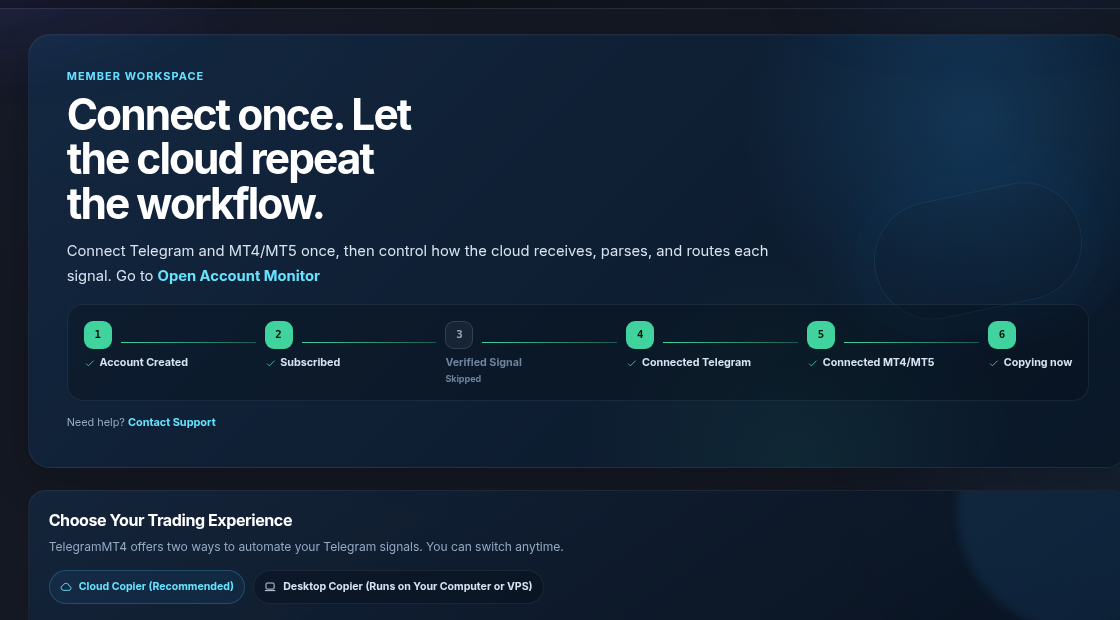
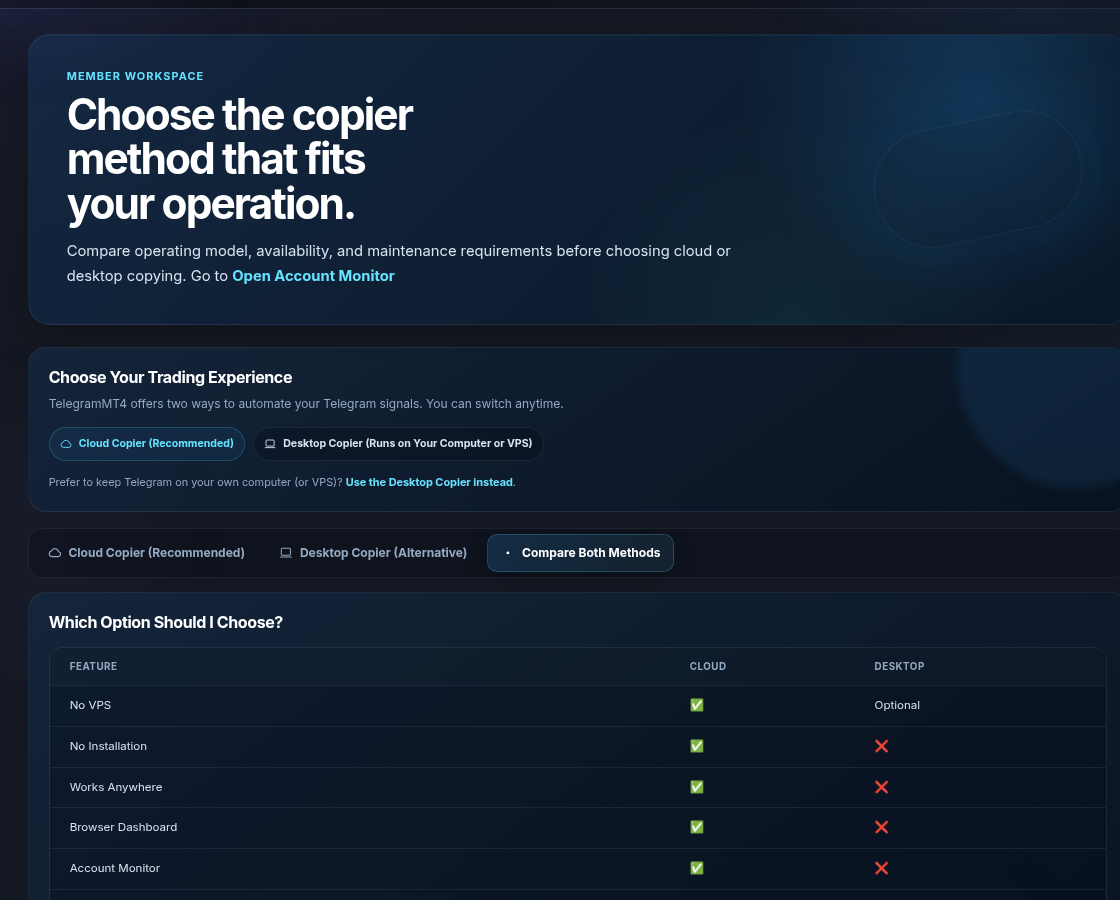
Two ways to run the same idea.
We ship both. Cloud is recommended. Desktop is for people who will not put Telegram in our cloud.
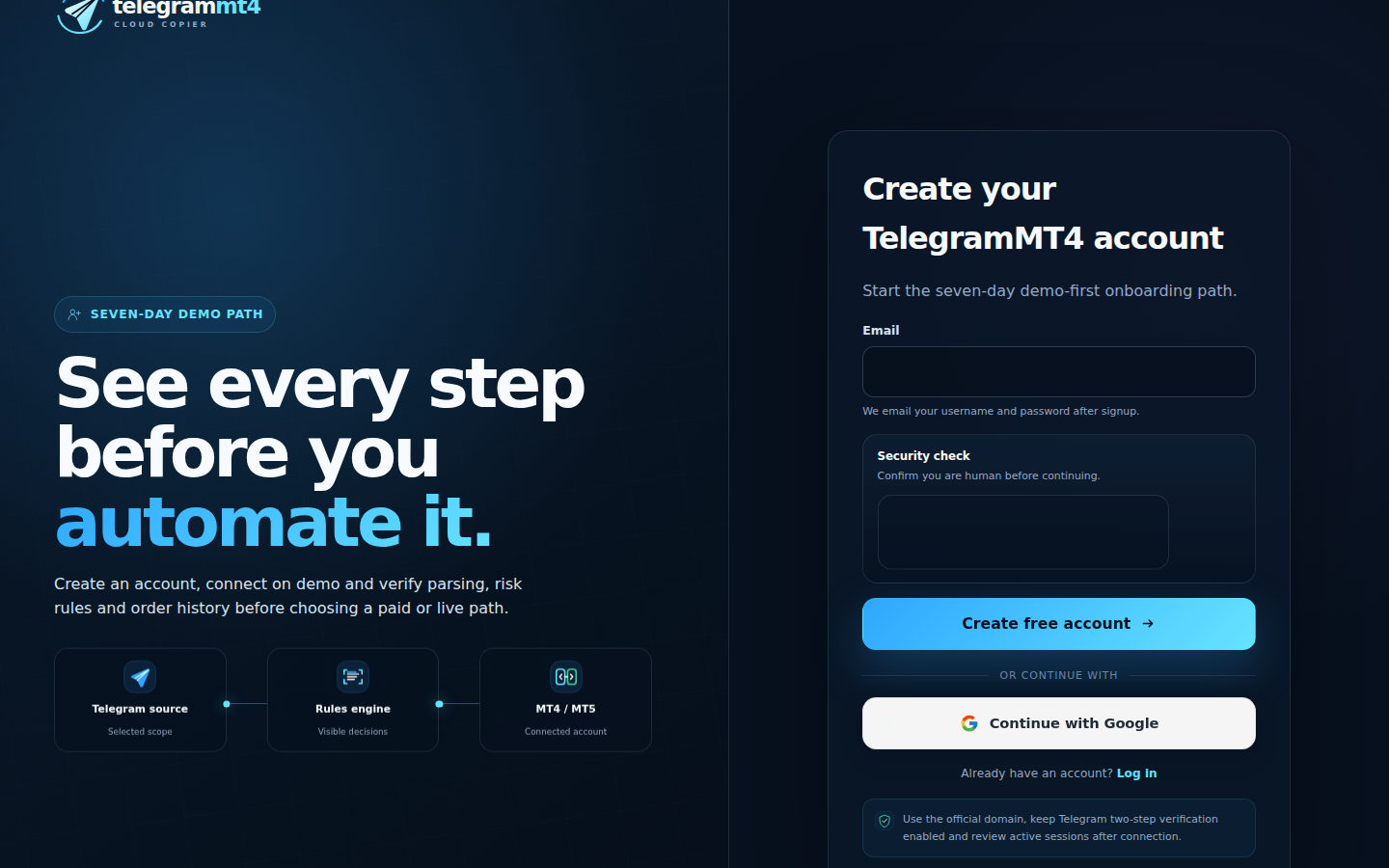
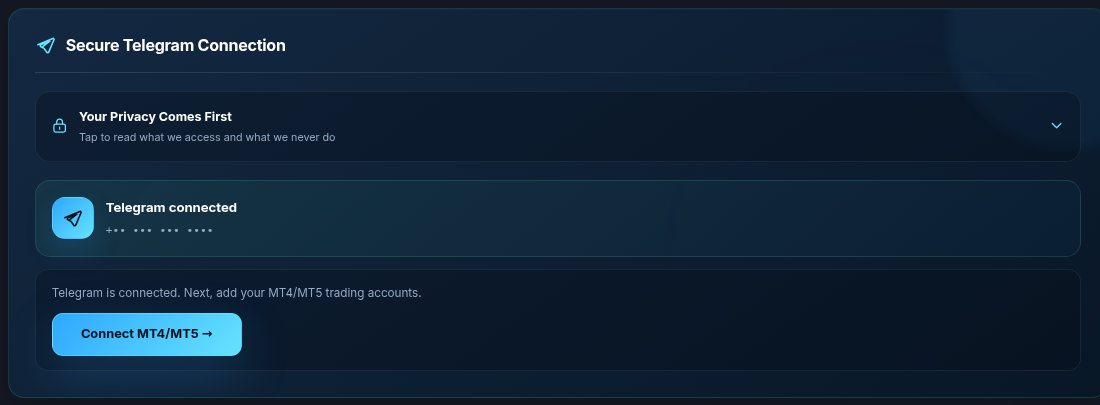
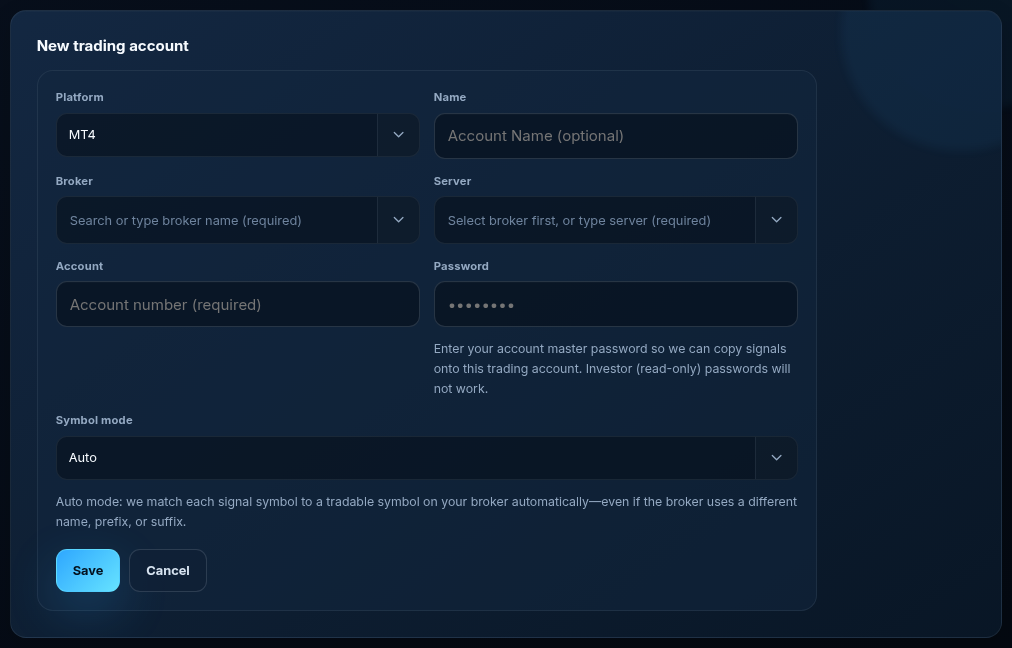
4. Leave Symbol mode on Auto unless you need to pin a broker prefix or suffix. GOLD, XAUUSD, XAUUSD.a, XAUUSD.pro are the usual case Auto already covers.

It will not read your private chats for content. It will not hold your money. It will not fix a symbol that is not in Market Watch. It will not remove spread, slippage, or a blown account. Older marketing on this site talked like “thousands of traders” as a proof point. I am not repeating that. Read Trustpilot and the Myfxbook book if you want other people’s numbers.
No. A copier parses channel text. Copy trading follows another MT4/MT5 account. We run both. Do not shop them as one product. .
Not for Cloud. Yes (or a PC that never sleeps) for Desktop.
Yes. Our optional signals are not required.
Longer walkthroughs: , . Company: About. Risk: risk disclosure.
The article remains the source of the explanation. This supporting visual simply keeps the product workflow clear while the reader moves through the guide.
A supported XAUUSD message arrives from a Telegram source chosen by the user.
Source visibleDirection, symbol, entry, stop loss and take profit are structured before routing.
Rules visibleThe configured MT4 or MT5 destination receives the order and the event is recorded for review.
Result visibleConnect Telegram and your trading account from the browser dashboard — no VPS, no local install on the cloud path.